Overview
Your whole month, in four numbers.
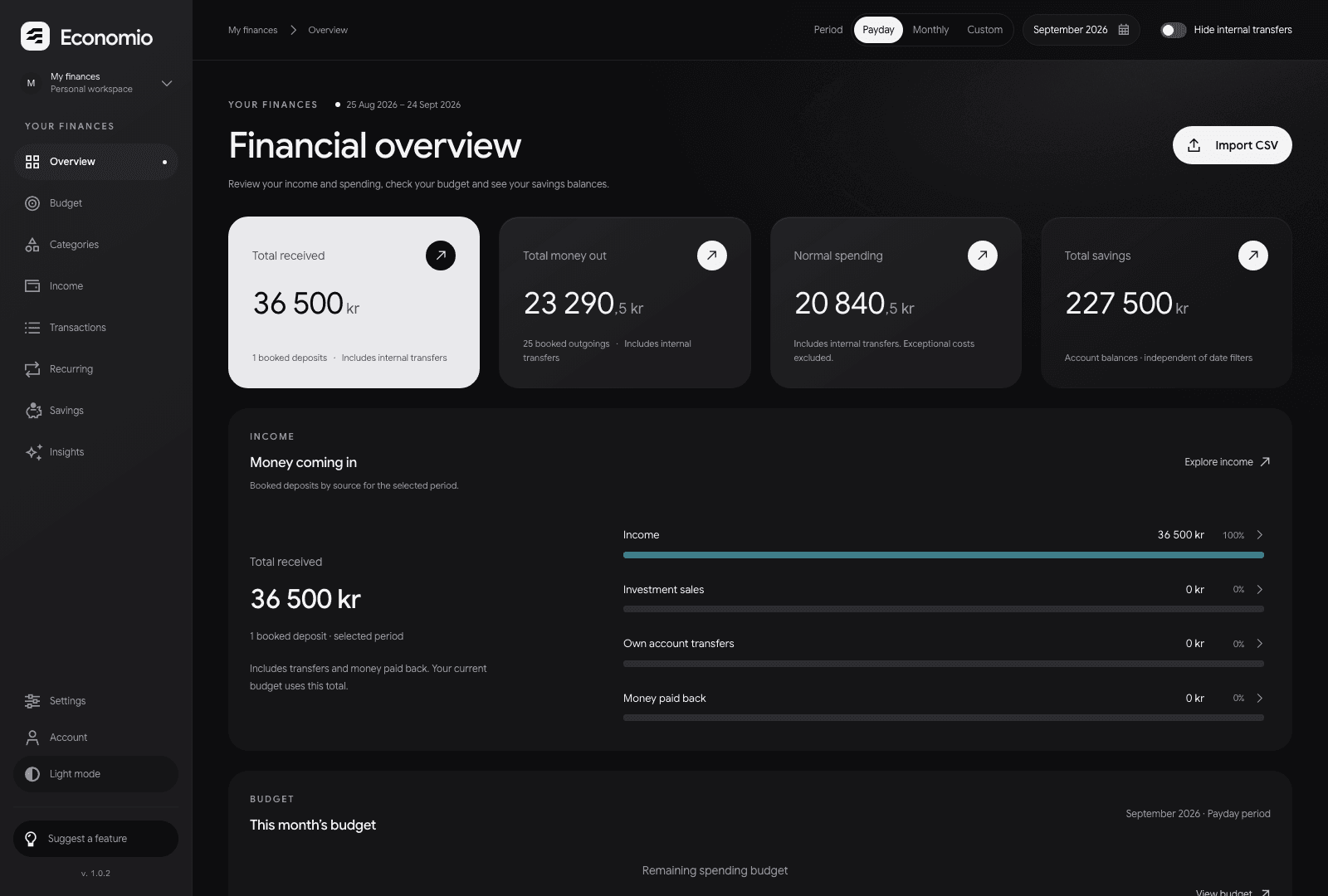
Bring in a bank statement and watch your month take shape: where your money went, what’s left in your budget and how your savings are doing.
Create your accountSalary lands on the 25th, the bills follow on the 1st, and a calendar month splits them in two.
Choose calendar months or payday periods, from the 25th to the 24th. Every total follows the dates you choose.
Your whole month, in four numbers.
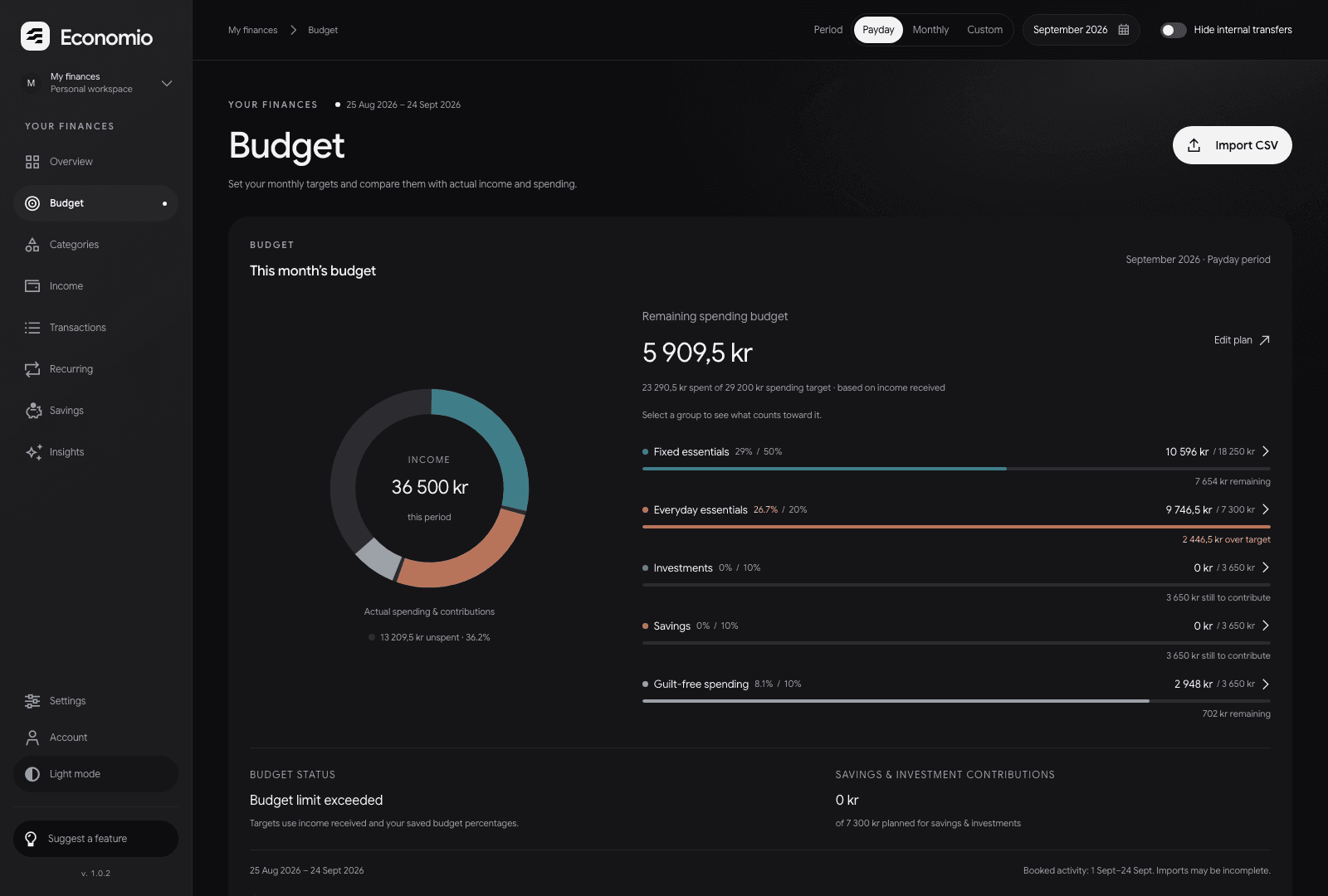
Plan each group. See what’s left.
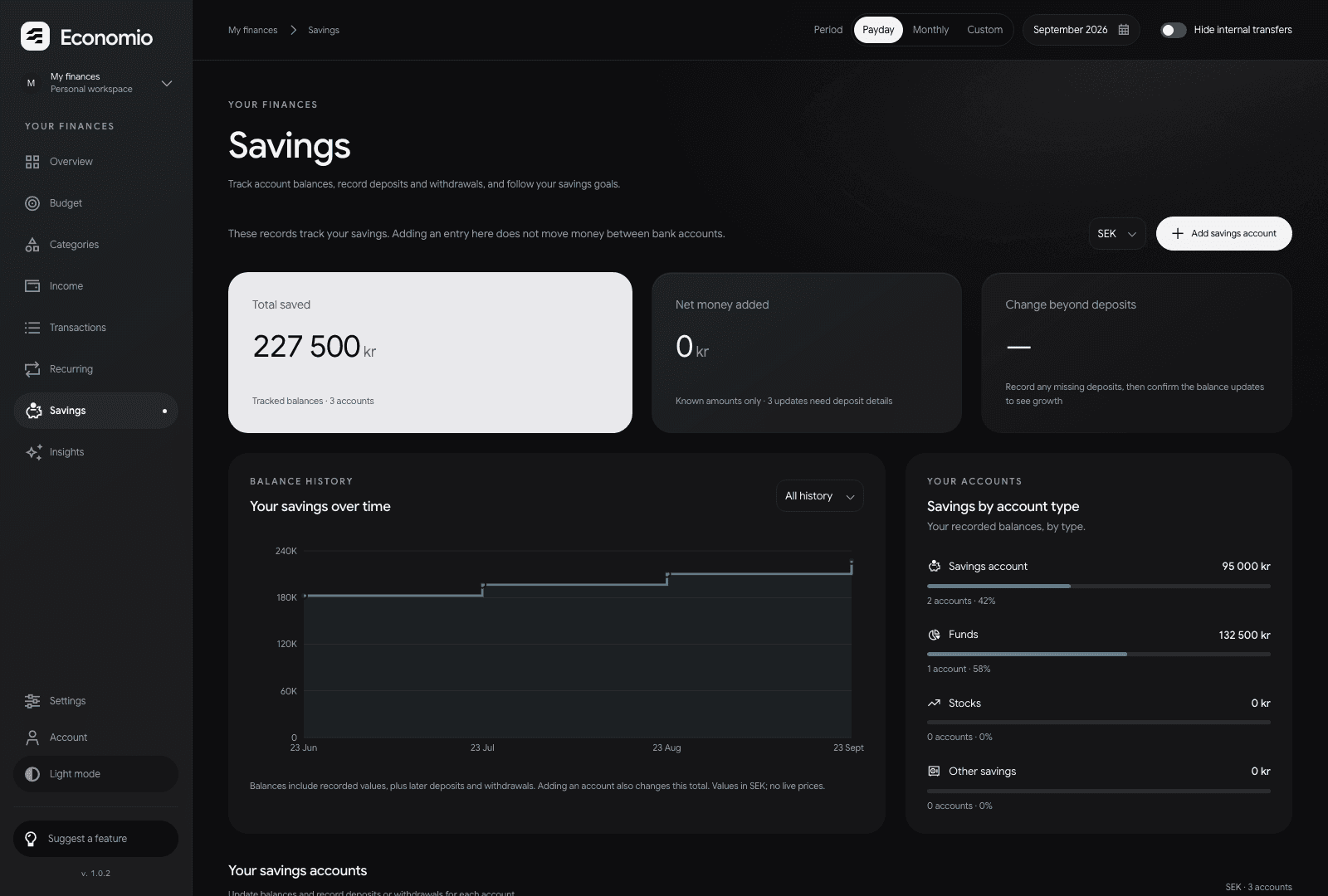
Every account and every goal.
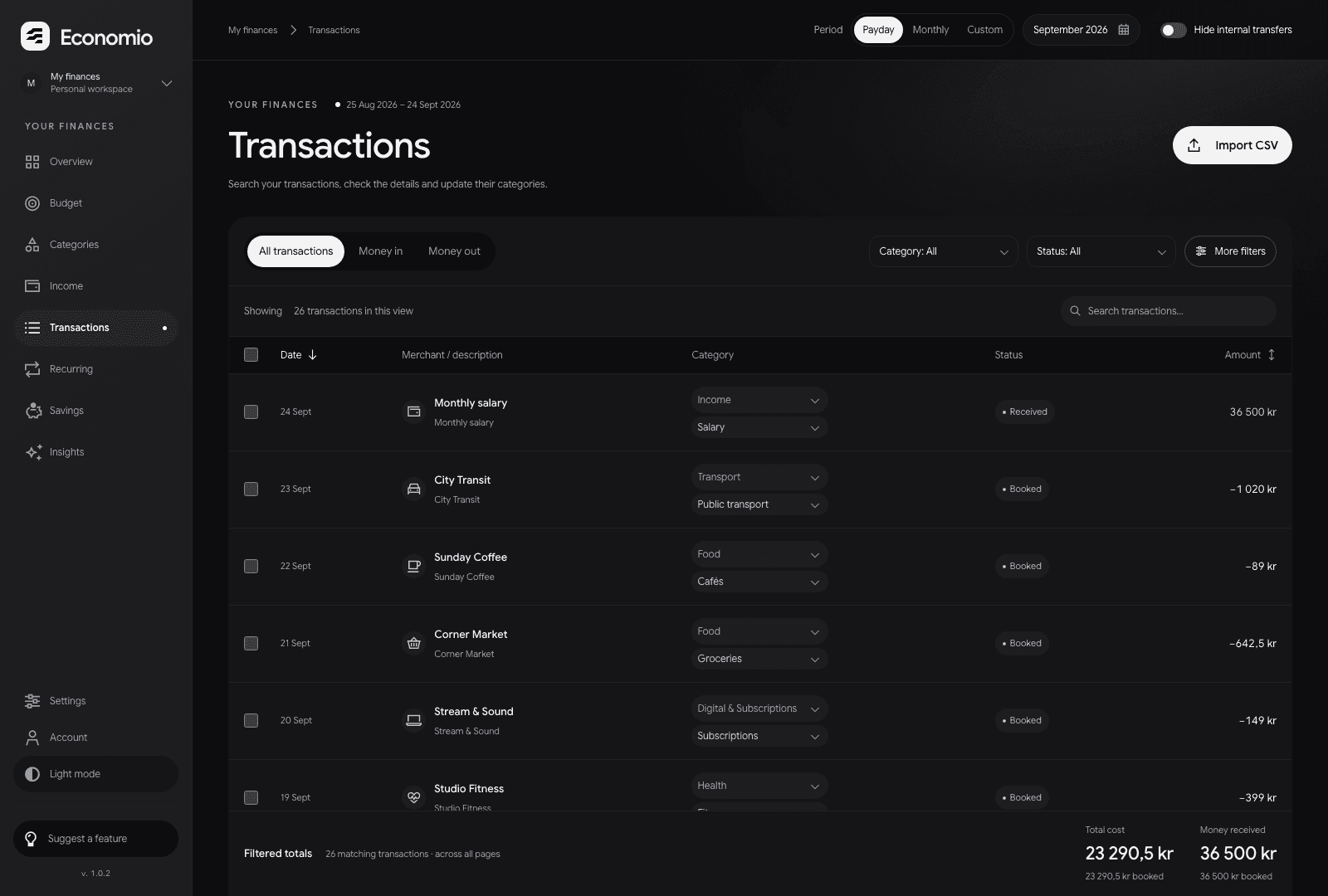
Each payment, in its category.
What Economio is
Economio never connects to your bank or moves your money. You bring the statement, you choose what to import, and every total opens to the transactions behind it.
About EconomioUnderstand your spending
Compare spending by category, then open a category to see its transactions. Separate your regular costs from exceptional expenses to understand what changed this month.
Create your accountEconomio starts with a file you already have. Export it, check it, and your month comes together.
Download a CSV statement from your online bank. Economio never connects to your bank, so you decide exactly what it sees.
Check the transactions before they land in your workspace. Pending payments stay apart from booked ones, so totals count what has happened.
Group your spending, set a target for each part of your budget and follow your savings goals, one period at a time.
A sample month
Every total in Economio opens to the transactions behind it. These are the sample figures from the overview.
25 Aug – 24 Sep · Payday periodSeparate workspaces
Keep household bills apart from business expenses. Create up to 10 workspaces, each with its own transactions and budget, and switch between them from one account.
Everything in
its own place.
Before you start
How Economio works and how to get started.
Create your accountEconomio helps you track spending, plan a budget and follow your savings. Start with your bank transactions, organise them into categories and see how your spending compares with your plan.
No. Export a CSV statement from your bank, then preview and import it into your workspace. You choose what to import; Economio does not connect to your bank.
You can create an account, import bank statements, organise transactions, plan your budget and track savings. Each workspace keeps its own records. New workspaces start empty; records already copied into your account stay in place.
Your overview stays on the latest period with imported transactions, even when the calendar moves to a new month. Choose calendar months or payday periods, from the 25th to the 24th. If a period has no transactions, you’ll see a message and a link back to your latest data.
Yes. A workspace is a separate set of financial records. You can create up to 10, for example for personal, household or business finances. Each belongs to your account. Sharing a workspace with other people is not available yet.
Yes. Open Economio in your phone’s browser and sign in to your account. Your workspaces and saved records are available on your phone and computer.